
Over to you

Maker of websites,
Teacher,
Cat enthusiast
Teacher,
Cat enthusiast
Latest posts by Matt (see all)
- The 2022 End of Year Website Update - 01/01/2023
- Celebrating Ada Lovelace day - 10/10/2022
- Website update 5/9/22 - 05/09/2022
Now it’s your turn!
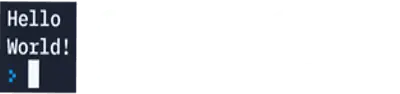
You now know that to put any text into the console we simply write:
print(“any text between the speech marks”)If we want to write another line of text we simply write out another print statement below the current one like so:
print("Hello World")
print("It is a lovely day")
Task
Using what you have learned, write out the following sentences using Python code in Python Online:
- Hello my name is (put your name here)
- My favourite food is (enter your favourite food here)
- My favourite book / film is (enter your favourite book or film here)
Save your code by renaming your file from ‘myprogram.py’ in the box and clicking on the save button. Save the file into a folder where you will remember.
Extension
Write some more details about yourself in Python code.
Can you figure out how to write multi-line code from one print statement?
Remember – write the text in print statements and use the speech marks and brackets like we did in our Hello World example.